GPS Tracker Workflow for Coaches Without a Sport Science Department: What to Look for Before You Buy

No sport scientist on staff? The workflow question should come before the metrics question. Here is what a GPS workflow built for coaches looks like.
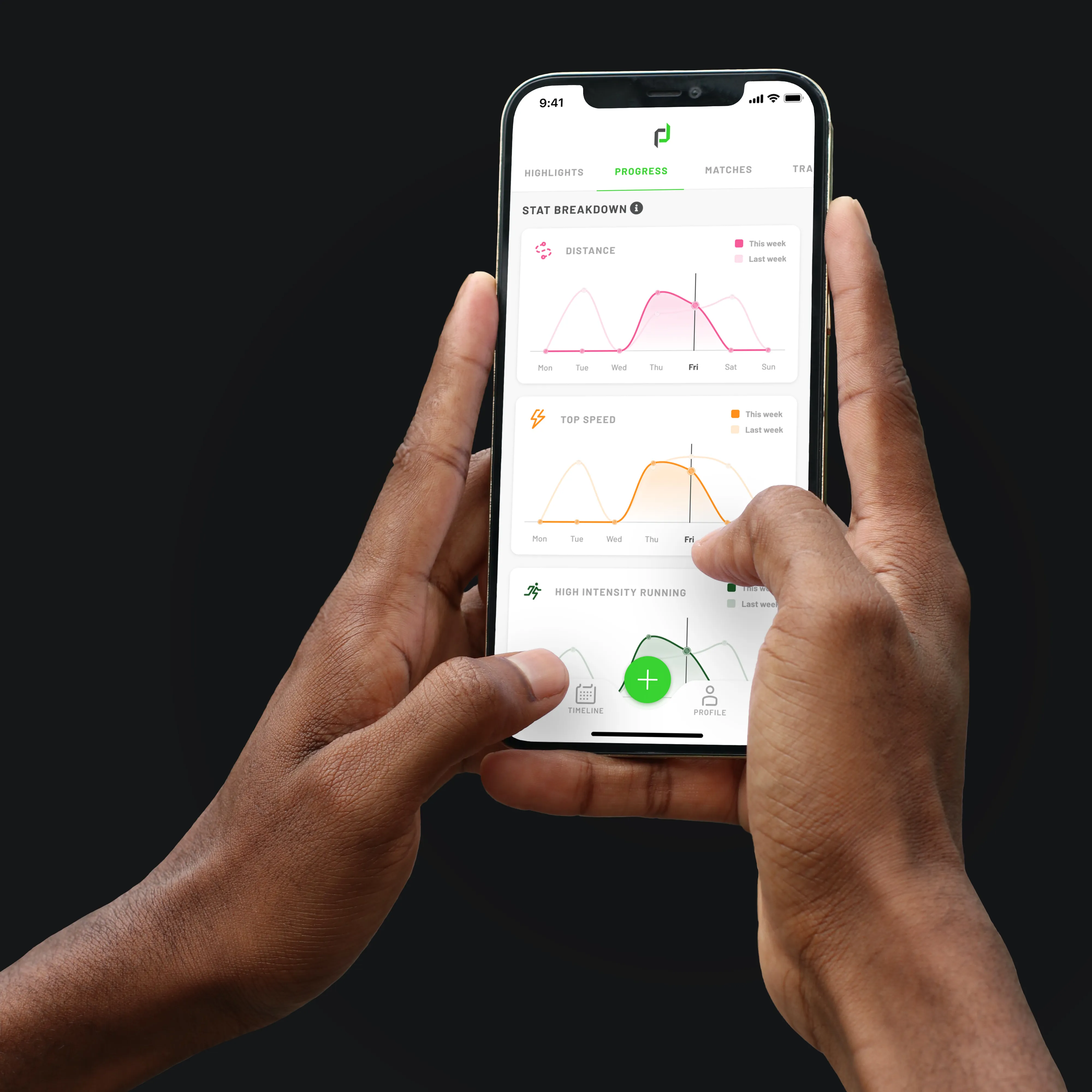
Coach app workflow

If you’re a high school coach interested in tracking GPS data, you may be thinking you will need to operate the system yourself. This can seem like a challenge at the high school level, when coaching responsibilities span well beyond the playing field and resources are limited.

With that in mind, if you’re evaluating GPS technology and you don’t have a sport scientist on staff, the workflow question should come before the metrics question. A system that produces great data but requires two hours and a laptop workstation to access it is not a system you will use consistently. And inconsistent use is the same as no use.

What Workflow Looks Like in the Real World

Before buying a GPS system, ask to see the full workflow from device to data. Not the dashboard demo. The actual steps.

Some systems require:

  • Labeling units manually with stickers and markers so you know who each unit correlates to.
  • Being physically present at every session to initiate data collection at the start of a session.
  • Downloading session data to a dedicated software application on a hardwired desktop computer
  • A docking station or proprietary charging hub to sync data after practice, after you have collected every unit from your players
  • Manual export steps before data is visible in any reporting view
  • A laptop running specific software versions to process the files

For a coach who finishes practice in a gym, packs up vests, drives home, and has thirty minutes before bed, that workflow produces one outcome: a headache.

A workflow built for coaches looks different:

  • Units are assigned easily in app, with LCD displays that show each player’s jersey number and initials.
  • One tap on a phone from anywhere in the world to initiate the start of a session, or simply schedule it to start in advance at the time practice starts.
  • Session data uploads automatically with one tap in an app from a phone or tablet.
  • Reports are visible on a phone or tablet within minutes of practice ending.
  • The coach doesn’t need to open a separate app, run a sync, or export a file.
  • Data from the full session — every player, every minute — is available before the drive home.

BOOK A DEMO WITH PLAYERDATA HERE

The Phone-First Question

One of the most practical questions you can ask a GPS vendor is: can my coach access all the data they need from a phone?

If the answer is 'most of it' or 'you can view summaries on mobile,' that’s not a yes. Coaches operate on phones. A system that requires a desktop to see meaningful data is a system that requires a workflow change.

A phone-first system means:

  • Full session reports on mobile — not a stripped-down summary view.
  • Real-time data during practice on the same device a coach already carries.
  • No dependency on being at a specific computer to see what happened in today's session.
  • The ability to check the data even if you’re not physically at practice.

What Happens When a Device Fails

Another workflow question that rarely gets asked in a sales process: what happens when a tracker doesn’t connect or a device needs to be replaced?

If a tracker fails the morning of a game, who resolves it? If software or firmware needs updating, who knows how?

Before buying, understand:

  • What’s the average turnaround time for a replacement device?
  • Is support handled by a dedicated team or by a general inbox?
  • Is there a direct contact — not just a ticketing system — available on competition day?

Staff Buy-In

Simplicity is a prerequisite for consistent use. When evaluating any system, ask the vendor to walk you through what a non-technical user does after practice. If the answer involves an extensive process, the workflow wasn’t designed for coaching environments.

Frequently Asked Questions

What is the best GPS tracker workflow for a high school or college coach?

The most effective workflow is one that requires the fewest steps after practice. Look for automatic data upload, mobile access to full session reports, and no requirement to open a desktop application or run a manual export. Data should be visible before the team finishes showering.

What should a coach look for in a GPS app?

Look for full session reports accessible on a phone, real-time data during practice, individual player summaries, and comparison views across sessions.

How do I manage GPS trackers without a sport science department?

Choose a system where device management is built into the coaching workflow. Charging docks that are easy to use and keep units organized, simple device identification, and accessible support contacts. The fewer steps between the end of practice and visible data, the better.

‍

See what player tracking can do for your program

We'd love to show you what's possible with PlayerData.

Submit your information below to book a demo. We're ready when you are.

‍

‍

GPS Tracker Workflow for Coaches Without a Sport Science Department: What to Look for Before You Buy

September 28, 2026
Coach app workflow

If you’re a high school coach interested in tracking GPS data, you may be thinking you will need to operate the system yourself. This can seem like a challenge at the high school level, when coaching responsibilities span well beyond the playing field and resources are limited.

With that in mind, if you’re evaluating GPS technology and you don’t have a sport scientist on staff, the workflow question should come before the metrics question. A system that produces great data but requires two hours and a laptop workstation to access it is not a system you will use consistently. And inconsistent use is the same as no use.

What Workflow Looks Like in the Real World

Before buying a GPS system, ask to see the full workflow from device to data. Not the dashboard demo. The actual steps.

Some systems require:

  • Labeling units manually with stickers and markers so you know who each unit correlates to.
  • Being physically present at every session to initiate data collection at the start of a session.
  • Downloading session data to a dedicated software application on a hardwired desktop computer
  • A docking station or proprietary charging hub to sync data after practice, after you have collected every unit from your players
  • Manual export steps before data is visible in any reporting view
  • A laptop running specific software versions to process the files

For a coach who finishes practice in a gym, packs up vests, drives home, and has thirty minutes before bed, that workflow produces one outcome: a headache.

A workflow built for coaches looks different:

  • Units are assigned easily in app, with LCD displays that show each player’s jersey number and initials.
  • One tap on a phone from anywhere in the world to initiate the start of a session, or simply schedule it to start in advance at the time practice starts.
  • Session data uploads automatically with one tap in an app from a phone or tablet.
  • Reports are visible on a phone or tablet within minutes of practice ending.
  • The coach doesn’t need to open a separate app, run a sync, or export a file.
  • Data from the full session — every player, every minute — is available before the drive home.

BOOK A DEMO WITH PLAYERDATA HERE

The Phone-First Question

One of the most practical questions you can ask a GPS vendor is: can my coach access all the data they need from a phone?

If the answer is 'most of it' or 'you can view summaries on mobile,' that’s not a yes. Coaches operate on phones. A system that requires a desktop to see meaningful data is a system that requires a workflow change.

A phone-first system means:

  • Full session reports on mobile — not a stripped-down summary view.
  • Real-time data during practice on the same device a coach already carries.
  • No dependency on being at a specific computer to see what happened in today's session.
  • The ability to check the data even if you’re not physically at practice.

What Happens When a Device Fails

Another workflow question that rarely gets asked in a sales process: what happens when a tracker doesn’t connect or a device needs to be replaced?

If a tracker fails the morning of a game, who resolves it? If software or firmware needs updating, who knows how?

Before buying, understand:

  • What’s the average turnaround time for a replacement device?
  • Is support handled by a dedicated team or by a general inbox?
  • Is there a direct contact — not just a ticketing system — available on competition day?

Staff Buy-In

Simplicity is a prerequisite for consistent use. When evaluating any system, ask the vendor to walk you through what a non-technical user does after practice. If the answer involves an extensive process, the workflow wasn’t designed for coaching environments.

Frequently Asked Questions

What is the best GPS tracker workflow for a high school or college coach?

The most effective workflow is one that requires the fewest steps after practice. Look for automatic data upload, mobile access to full session reports, and no requirement to open a desktop application or run a manual export. Data should be visible before the team finishes showering.

What should a coach look for in a GPS app?

Look for full session reports accessible on a phone, real-time data during practice, individual player summaries, and comparison views across sessions.

How do I manage GPS trackers without a sport science department?

Choose a system where device management is built into the coaching workflow. Charging docks that are easy to use and keep units organized, simple device identification, and accessible support contacts. The fewer steps between the end of practice and visible data, the better.

‍

See what player tracking can do for your program

We'd love to show you what's possible with PlayerData.

Submit your information below to book a demo. We're ready when you are.

‍

‍